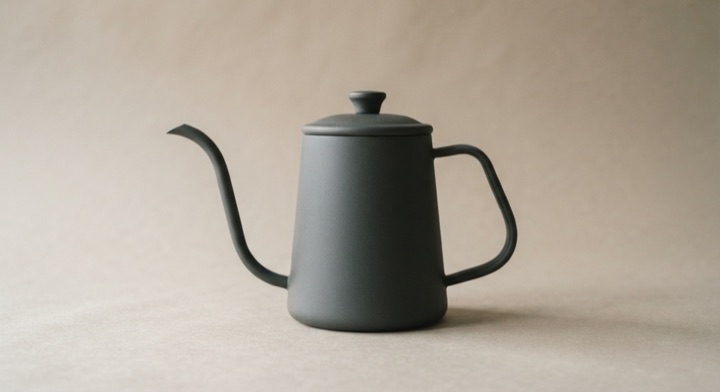
Bundle Savings Highlight
Items select in turn, a bracket draws down their edge, and the combined saving arrives after it.
The animated component in this preview is rendered from the canonical file shown here. The surrounding demo shell only provides context and is not part of the copied code.
import { motion, useReducedMotion } from "motion/react";

/**
 * Vibary · Bundle Savings Highlight
 *
 * Three items select themselves in turn, a bracket draws down their
 * left edge to say "these belong together", and the combined saving
 * arrives once the grouping is established. The order is the argument:
 * the bracket has to finish before the number appears, or the number is
 * just a claim about nothing in particular.
 *
 * Self-contained: depends only on `motion` (react ships with your app).
 * Surfaces are mixed from the inherited text color; the item thumbnails
 * are CSS gradients standing in for photography.
 * Works with zero props; tune via `variant`, `bundlePrice`.
 * Requires the automatic JSX runtime (default since React 17).
 */

export type BundleItem = {
  id: string;
  name: string;
  price: string;
  /** Real product photograph; omit for the gradient stand-in. */
  imageSrc?: string;
  /** Gradient shown while there is no photo. */
  art?: string;
};

export type BundleSavingsHighlightProps = {
  /** Visual character of the motion. */
  variant?: "subtle" | "default" | "playful";
  /** Items bracketed into the bundle. */
  items?: readonly BundleItem[];
  /** Total if the items were bought separately. */
  separatePrice?: string;
  /** Total when bought together. */
  bundlePrice?: string;
  /** The difference, shown on the pill. */
  savingLabel?: string;
  /** Fires once the saving has settled in. */
  onRevealed?: () => void;
};

type VariantConfig = {
  /** Seconds between one item selecting and the next. */
  stagger: number;
  /** Seconds for the bracket to draw. */
  draw: number;
  spring: { type: "spring"; stiffness: number; damping: number };
  /** How far the saving travels in, in pixels. */
  travel: number;
};

// Quality rule: the saving is the payoff, so it is the only element that
// travels any distance — and even it settles once, at a damping ratio at
// or above 0.8. The figures are tabular and never scale; a price that
// pops is a price nobody trusts.
const VARIANTS: Record<"subtle" | "default" | "playful", VariantConfig> = {
  // Quick grouping for a bundle strip inside a longer product page.
  subtle: {
    stagger: 0.07,
    draw: 0.28,
    spring: { type: "spring", stiffness: 540, damping: 42 },
    travel: 8,
  },
  // The bracket reads as a stroke being drawn. All-purpose.
  default: {
    stagger: 0.11,
    draw: 0.44,
    spring: { type: "spring", stiffness: 400, damping: 34 },
    travel: 14,
  },
  // A deliberate build for a dedicated bundle offer, where the grouping
  // is the pitch.
  playful: {
    stagger: 0.15,
    draw: 0.6,
    spring: { type: "spring", stiffness: 340, damping: 31 },
    travel: 22,
  },
};

const ACCENT = "#2F9E6E";

/** Theme-adaptive neutral: `currentColor` is the text color this component
 *  inherits — near-black on a light page, near-white on a dark one — so
 *  mixing it with `transparent` yields a surface, border or fill that is
 *  correctly toned in either theme. Nothing to configure. */
const tone = (percent: number) =>
  `color-mix(in srgb, currentColor ${percent}%, transparent)`;

/** Thumbnails stand in for product photography, so they stay literal. */
export const DEFAULT_ITEMS: readonly BundleItem[] = [
  {
    id: "kettle",
    name: "Pour-over kettle",
    price: "$74.00",
    art: "linear-gradient(145deg, #E0864A, #C9546B)",
  },
  {
    id: "scale",
    name: "Bench scale, 0.1 g",
    price: "$58.50",
    art: "linear-gradient(145deg, #6E8BFA, #9A6BF0)",
  },
  {
    id: "dripper",
    name: "Ceramic dripper",
    price: "$58.00",
    art: "linear-gradient(145deg, #3FB58A, #2E8FA8)",
  },
];

const ROW_HEIGHT = 46;

export default function BundleSavingsHighlight({
  variant = "default",
  items = DEFAULT_ITEMS,
  separatePrice = "$190.50",
  bundlePrice = "$172.10",
  savingLabel = "Save $18.40",
  onRevealed,
}: BundleSavingsHighlightProps) {
  const reduceMotion = useReducedMotion();
  const cfg = VARIANTS[variant];

  const bracketHeight = ROW_HEIGHT * items.length;
  const bracket = `M13 4 H8 A4 4 0 0 0 4 8 V ${bracketHeight - 8} A4 4 0 0 0 8 ${
    bracketHeight - 4
  } H13`;
  const selectedBy = reduceMotion ? 0 : items.length * cfg.stagger;
  const drawAt = reduceMotion ? 0 : selectedBy;
  const revealAt = reduceMotion ? 0.12 : drawAt + cfg.draw * 0.72;

  return (
    <div
      style={{
        width: 342,
        padding: 16,
        borderRadius: 18,
        background: tone(6),
        color: "inherit",
        border: `1px solid ${tone(12)}`,
        fontFamily: "inherit",
        boxSizing: "border-box",
      }}
    >
      <div style={{ fontSize: 13, fontWeight: 650, marginBottom: 12 }}>
        Frequently bought together
      </div>

      <div style={{ display: "flex", gap: 10 }}>
        <svg
          width="16"
          height={bracketHeight}
          viewBox={`0 0 16 ${bracketHeight}`}
          fill="none"
          aria-hidden
          style={{ flexShrink: 0 }}
        >
          {/* The bracket is the claim: these three are one purchase. It
              draws along its own path so the grouping is asserted before
              the saving is announced. */}
          <motion.path
            d={bracket}
            stroke={ACCENT}
            strokeWidth="2"
            strokeLinecap="round"
            strokeLinejoin="round"
            initial={{ pathLength: reduceMotion ? 1 : 0, opacity: reduceMotion ? 0 : 1 }}
            animate={{ pathLength: 1, opacity: 1 }}
            transition={
              reduceMotion
                ? { duration: 0.2, ease: "easeOut" }
                : { duration: cfg.draw, ease: "easeOut", delay: drawAt }
            }
          />
        </svg>

        <ul
          style={{
            flex: 1,
            minWidth: 0,
            listStyle: "none",
            margin: 0,
            padding: 0,
          }}
        >
          {items.map((item, index) => {
            const at = reduceMotion ? 0 : index * cfg.stagger;
            return (
              <li
                key={item.id}
                style={{
                  height: ROW_HEIGHT,
                  display: "flex",
                  alignItems: "center",
                  gap: 10,
                }}
              >
                <span
                  aria-hidden
                  style={{
                    width: 34,
                    height: 34,
                    flexShrink: 0,
                    borderRadius: 9,
                    background: item.imageSrc
                      ? [`url(${item.imageSrc}) center / cover`, item.art]
                          .filter(Boolean)
                          .join(", ")
                      : item.art,
                  }}
                />
                <span style={{ flex: 1, minWidth: 0, fontSize: 12.5 }}>
                  {item.name}
                </span>
                <span
                  style={{
                    fontSize: 12.5,
                    fontWeight: 600,
                    fontVariantNumeric: "tabular-nums",
                  }}
                >
                  {item.price}
                </span>
                {/* Vector marks may scale; the prices beside them may not.
                    The tick blooms from nothing to full size once, then
                    holds. */}
                <motion.span
                  aria-hidden
                  initial={{ scale: reduceMotion ? 1 : 0.3, opacity: 0 }}
                  animate={{ scale: 1, opacity: 1 }}
                  transition={
                    reduceMotion
                      ? { duration: 0.18, ease: "easeOut" }
                      : { ...cfg.spring, delay: at }
                  }
                  style={{
                    display: "grid",
                    placeItems: "center",
                    width: 17,
                    height: 17,
                    flexShrink: 0,
                    borderRadius: 999,
                    background: ACCENT,
                    color: "#FFFFFF",
                  }}
                >
                  <svg
                    width="10"
                    height="10"
                    viewBox="0 0 20 20"
                    fill="none"
                    stroke="currentColor"
                    strokeWidth="2.8"
                    strokeLinecap="round"
                    strokeLinejoin="round"
                  >
                    <path d="M4.5 10.5 8.4 14.3 15.5 6" />
                  </svg>
                </motion.span>
              </li>
            );
          })}
        </ul>
      </div>

      <motion.div
        initial={{ opacity: 0, y: reduceMotion ? 0 : cfg.travel }}
        animate={{ opacity: 1, y: 0 }}
        transition={{
          ...(reduceMotion
            ? { duration: 0.22, ease: "easeOut" as const }
            : cfg.spring),
          delay: revealAt,
          opacity: { duration: 0.26, ease: "easeOut", delay: revealAt },
        }}
        onAnimationComplete={onRevealed}
        style={{
          marginTop: 14,
          paddingTop: 13,
          borderTop: `1px solid ${tone(10)}`,
          display: "flex",
          alignItems: "center",
          gap: 10,
        }}
      >
        <span style={{ flex: 1, minWidth: 0 }}>
          <span
            style={{
              display: "block",
              fontSize: 11.5,
              opacity: 0.5,
              textDecoration: "line-through",
              fontVariantNumeric: "tabular-nums",
            }}
          >
            {separatePrice} separately
          </span>
          <span
            style={{
              display: "block",
              fontSize: 16,
              fontWeight: 680,
              letterSpacing: "-0.01em",
              fontVariantNumeric: "tabular-nums",
            }}
          >
            {bundlePrice}
          </span>
        </span>
        <span
          style={{
            padding: "6px 11px",
            fontSize: 12,
            fontWeight: 660,
            borderRadius: 999,
            background: `color-mix(in srgb, ${ACCENT} 16%, transparent)`,
            color: ACCENT,
            whiteSpace: "nowrap",
          }}
        >
          {savingLabel}
        </span>
      </motion.div>
    </div>
  );
}About this pattern
The block that argues three things are really one purchase. Order carries the argument: each item marks itself, a bracket strokes down their shared edge to assert the grouping, and only then does the saving appear — reveal the number first and it is a claim about nothing in particular. The tick marks are vector art and may bloom in; the prices beside them are tabular figures that never scale, because a price that pops is a price nobody trusts. One settle each, nothing repeats.
Where it shows up
Screens we drew to show where this motion usually sits. Illustrations, not captures of any product.
- Product page
A grouped set of products shows one combined price beneath the individual items.