Detail Close Return
Closing a detail view returns the tile to the exact row it came from.
The animated component in this preview is rendered from the canonical file shown here. The surrounding demo shell only provides context and is not part of the copied code.
import { useEffect, useId, useState } from "react";
import { AnimatePresence, motion, useReducedMotion } from "motion/react";
/**
* Vibary · Detail Close Return
*
* The half of a list-to-detail transition that usually gets dropped.
* Opening is easy; closing is where an app either puts you back where you
* were or dumps you at the top of a list you have to re-find. Here the
* hero flies home to the exact row it came from, that row holds an empty
* seat the whole time it is away, and the returning tile rides above the
* dissolving detail so it is never hidden on the way back.
*
* Self-contained: depends only on `motion` (react ships with your app).
* Surfaces are mixed from the inherited text color and the detail uses
* the CSS system colors, so both read correctly on light and dark pages.
* Works with zero props; tune via `variant`, `items`.
* Requires the automatic JSX runtime (default since React 17).
*/
export type DetailItem = {
id: string;
title: string;
meta: string;
body: string;
stats: readonly (readonly [string, string])[];
/** Real photograph; omit for the gradient stand-in. */
imageSrc?: string;
/** Gradient shown while there is no photo. */
art?: string;
};
export type DetailCloseReturnProps = {
/** Visual character of the motion. */
variant?: "subtle" | "default" | "playful";
/** Rows in the list; each may carry a photo via `imageSrc`. */
items?: readonly DetailItem[];
/** Notified with the open item's id, or null once it has returned. */
onOpenChange?: (id: string | null) => void;
};
type VariantConfig = {
spring: { type: "spring"; stiffness: number; damping: number };
/** Seconds the detail's chrome takes to fade. */
chromeFade: number;
/** Seconds the body copy waits before arriving. */
bodyDelay: number;
/** ms the returning row stays raised above the dissolving detail. */
returnGuard: number;
};
// Quality rule: the travelling element carries a photograph and a line of
// type across the whole frame, so overshoot would be visible on both. All
// springs sit at or above a 0.8 damping ratio (ζ = damping / 2√stiffness),
// and the shared title uses layout="position" at one constant font size in
// both places — it is carried, never resized.
const VARIANTS: Record<"subtle" | "default" | "playful", VariantConfig> = {
// ζ ≈ 1.00 — straight home, no settle. For a working list.
subtle: {
spring: { type: "spring", stiffness: 480, damping: 44 },
chromeFade: 0.12,
bodyDelay: 0.08,
returnGuard: 420,
},
// ζ ≈ 0.90 — one soft landing in the row. The all-purpose setting.
default: {
spring: { type: "spring", stiffness: 360, damping: 34 },
chromeFade: 0.14,
bodyDelay: 0.12,
returnGuard: 520,
},
// ζ ≈ 0.81 — a longer arc home for a browsing surface.
playful: {
spring: { type: "spring", stiffness: 300, damping: 28 },
chromeFade: 0.16,
bodyDelay: 0.16,
returnGuard: 620,
},
};
const ACCENT = "#7C7CF0";
/** Theme-adaptive neutral: `currentColor` is the text color this component
* inherits — near-black on a light page, near-white on a dark one — so
* mixing it with `transparent` yields a surface, border or fill that is
* correctly toned in either theme. Nothing to configure. */
const tone = (percent: number) =>
`color-mix(in srgb, currentColor ${percent}%, transparent)`;
/** One constant size for the title in both places. Sharing a layout id
* between two different font sizes is what makes text look rubbery. */
const TITLE_SIZE = 15;
export const DEFAULT_ITEMS: readonly DetailItem[] = [
{
id: "harbour",
title: "Harbour District",
meta: "Field report · 14 photos",
body: "Three sites surveyed along the north quay. Foot traffic peaks between six and eight, and two of the three units have street frontage wide enough for a corner unit.",
stats: [
["Sites", "3"],
["Score", "8.4"],
["Visited", "Aug 9"],
],
art: "linear-gradient(140deg, #24405E 0%, #4E7EA6 55%, #C7B48E 100%)",
},
{
id: "rivergate",
title: "Rivergate Mall",
meta: "Field report · 9 photos",
body: "Anchor tenant leaves in spring, which frees the east wing. Parking is the constraint here, not floor space, and the service road closes at nine.",
stats: [
["Sites", "1"],
["Score", "6.1"],
["Visited", "Aug 6"],
],
art: "linear-gradient(140deg, #3B2F55 0%, #7B5F94 55%, #D9A88F 100%)",
},
{
id: "northfield",
title: "Northfield Park",
meta: "Field report · 22 photos",
body: "The most promising of the three. A weekday market already draws the audience we would be opening for, and the council is actively courting food tenants.",
stats: [
["Sites", "4"],
["Score", "9.0"],
["Visited", "Aug 2"],
],
art: "linear-gradient(140deg, #1E4A44 0%, #4C8E79 55%, #CBC489 100%)",
},
];
/** A photograph fills the tile, layered over the gradient so it never
* goes blank while the file loads (or if it fails to). */
const artOf = (item: DetailItem) =>
item.imageSrc
? [`url(${item.imageSrc}) center / cover`, item.art]
.filter(Boolean)
.join(", ")
: item.art;
export default function DetailCloseReturn({
variant = "default",
items = DEFAULT_ITEMS,
onOpenChange,
}: DetailCloseReturnProps) {
const reduceMotion = useReducedMotion();
const cfg = VARIANTS[variant];
const uid = useId();
const [openId, setOpenId] = useState<string | null>(null);
// The row that is currently being flown back to. It is raised above the
// dissolving detail for exactly as long as the journey takes.
const [returningId, setReturningId] = useState<string | null>(null);
// Reduced motion: the tile changes place instead of travelling. The
// seat, the destination and the hand-off all still read.
const journey = reduceMotion ? { duration: 0 } : cfg.spring;
const open = (id: string) => {
setReturningId(null);
setOpenId(id);
onOpenChange?.(id);
};
const close = () => {
setReturningId(openId);
setOpenId(null);
onOpenChange?.(null);
};
useEffect(() => {
if (!returningId) return;
const timer = setTimeout(() => setReturningId(null), cfg.returnGuard);
return () => clearTimeout(timer);
}, [returningId, cfg.returnGuard]);
useEffect(() => {
if (!openId) return;
const onKey = (event: KeyboardEvent) => {
if (event.key !== "Escape") return;
setReturningId(openId);
setOpenId(null);
onOpenChange?.(null);
};
window.addEventListener("keydown", onKey);
return () => window.removeEventListener("keydown", onKey);
}, [openId, onOpenChange]);
const active = items.find((item) => item.id === openId) ?? null;
return (
<div
style={{
position: "relative",
width: 328,
height: 304,
borderRadius: 18,
background: tone(6),
color: "inherit",
border: `1px solid ${tone(12)}`,
boxShadow: "0 14px 36px rgba(0,0,0,0.16)",
// The detail covers this frame, not the viewport, so the pattern
// drops into a card or a split view. In an app, make the scrim and
// the detail `position: fixed` with inset 0 and lock body scroll
// while they are up — the shared layout ids work the same either
// way, as long as both ends stay inside one LayoutGroup.
overflow: "hidden",
}}
>
<div
style={{
display: "flex",
alignItems: "baseline",
justifyContent: "space-between",
padding: "13px 16px 6px",
}}
>
<span style={{ fontSize: 13, fontWeight: 650 }}>Reports</span>
<span style={{ fontSize: 11, opacity: 0.45 }}>{items.length} saved</span>
</div>
<div style={{ padding: "0 10px" }}>
{items.map((item) => {
const isOpen = item.id === openId;
return (
<button
key={item.id}
type="button"
onClick={() => open(item.id)}
aria-expanded={isOpen}
style={{
position: "relative",
// Raised only while its tile is on the way home, so the
// returning element is never behind the detail it left.
zIndex: returningId === item.id ? 6 : 0,
display: "flex",
alignItems: "center",
gap: 12,
width: "100%",
padding: "8px 8px",
borderRadius: 14,
border: 0,
background: "transparent",
color: "inherit",
fontFamily: "inherit",
textAlign: "left",
cursor: "pointer",
}}
>
<span
style={{
position: "relative",
flexShrink: 0,
width: 46,
height: 46,
}}
>
{/* The empty seat. It stays for as long as the tile is
away, which is what turns the return into a landing
rather than an arrival out of nowhere. */}
<span
aria-hidden
style={{
position: "absolute",
inset: 0,
borderRadius: 13,
border: `1px dashed ${tone(22)}`,
background: tone(4),
}}
/>
{!isOpen && (
<motion.span
// Scoped per instance with useId: a hard-coded id
// would make two of these on one page throw tiles at
// each other.
layoutId={`${uid}-tile-${item.id}`}
transition={journey}
aria-hidden
style={{
position: "absolute",
inset: 0,
borderRadius: 13,
// Stands in for a photograph, not a UI surface.
background: artOf(item),
}}
/>
)}
</span>
<span style={{ flex: 1, minWidth: 0 }}>
<span style={{ position: "relative", display: "block", height: 20 }}>
{/* A hidden copy holds the line box open so the row
never reflows while its title is away. */}
<span
aria-hidden={!isOpen}
style={{
visibility: isOpen ? "visible" : "hidden",
fontSize: TITLE_SIZE,
fontWeight: 650,
opacity: isOpen ? 0.25 : 1,
}}
>
{item.title}
</span>
{!isOpen && (
<motion.span
layoutId={`${uid}-title-${item.id}`}
// Carried, not resized: position-only layout plus a
// constant font size is the whole reason the type
// stays crisp across the journey.
layout="position"
transition={journey}
style={{
position: "absolute",
left: 0,
top: 0,
fontSize: TITLE_SIZE,
fontWeight: 650,
whiteSpace: "nowrap",
}}
>
{item.title}
</motion.span>
)}
</span>
<span
style={{
display: "block",
fontSize: 11.5,
opacity: isOpen ? 0.25 : 0.5,
marginTop: 1,
}}
>
{item.meta}
</span>
</span>
<svg
width="15"
height="15"
viewBox="0 0 20 20"
fill="none"
stroke="currentColor"
strokeWidth="1.6"
strokeLinecap="round"
strokeLinejoin="round"
opacity={0.35}
aria-hidden
>
<path d="M7.5 4.5 13 10l-5.5 5.5" />
</svg>
</button>
);
})}
</div>
{/* Scrim and chrome are the only parts that fade. They are quick,
because they are what stands between you and the row you are
going back to. */}
<AnimatePresence>
{active && (
<motion.div
key="scrim"
aria-hidden
onClick={close}
initial={{ opacity: 0 }}
animate={{ opacity: 1 }}
exit={{ opacity: 0, transition: { duration: cfg.chromeFade } }}
transition={{ duration: reduceMotion ? 0 : 0.18, ease: "easeOut" }}
style={{
position: "absolute",
inset: 0,
zIndex: 2,
// A scrim darkens in both themes — light or dark, the page
// behind an overlay recedes — so this one stays literal.
background: "rgba(0,0,0,0.38)",
}}
/>
)}
{active && (
<motion.div
key="detail"
role="dialog"
aria-modal="true"
aria-label={active.title}
initial={{ opacity: 0 }}
animate={{ opacity: 1 }}
exit={{ opacity: 0, transition: { duration: cfg.chromeFade } }}
transition={{ duration: reduceMotion ? 0 : 0.18, ease: "easeOut" }}
style={{
position: "absolute",
inset: 0,
zIndex: 3,
padding: 14,
// The detail is an opaque sheet above a scrim, so it cannot
// be translucent — it would composite with the scrim and
// read as more scrim. `Canvas`/`CanvasText` are the CSS
// system colors for page background and page text, so it
// lands light in a light app and dark in a dark one.
background: "Canvas",
color: "CanvasText",
}}
>
<button
type="button"
onClick={close}
style={{
display: "flex",
alignItems: "center",
gap: 5,
height: 26,
padding: "0 9px 0 6px",
borderRadius: 8,
border: 0,
background: tone(8),
color: "inherit",
fontFamily: "inherit",
fontSize: 12,
fontWeight: 600,
cursor: "pointer",
}}
>
<svg
width="14"
height="14"
viewBox="0 0 20 20"
fill="none"
stroke="currentColor"
strokeWidth="1.8"
strokeLinecap="round"
strokeLinejoin="round"
aria-hidden
>
<path d="M12.5 4.5 7 10l5.5 5.5" />
</svg>
Reports
</button>
<motion.div
initial={reduceMotion ? { opacity: 0 } : { opacity: 0, y: 8 }}
animate={{ opacity: 1, y: 0 }}
exit={{ opacity: 0, transition: { duration: 0.1 } }}
transition={{
duration: reduceMotion ? 0.12 : 0.26,
ease: "easeOut",
delay: reduceMotion ? 0 : cfg.bodyDelay,
}}
style={{ position: "absolute", left: 16, right: 16, top: 196 }}
>
<div style={{ fontSize: 11.5, opacity: 0.5 }}>{active.meta}</div>
<p
style={{
margin: "8px 0 0",
fontSize: 12.5,
lineHeight: 1.55,
opacity: 0.72,
}}
>
{active.body}
</p>
<div style={{ display: "flex", gap: 8, marginTop: 12 }}>
{active.stats.map(([label, value]) => (
<div
key={label}
style={{
flex: 1,
padding: "7px 10px",
borderRadius: 11,
background: tone(7),
border: `1px solid ${tone(12)}`,
}}
>
<div style={{ fontSize: 10.5, opacity: 0.5 }}>{label}</div>
<div style={{ fontSize: 12.5, fontWeight: 650, marginTop: 1 }}>
{value}
</div>
</div>
))}
</div>
</motion.div>
</motion.div>
)}
</AnimatePresence>
{/* The travelling pair lives on its own layer above the detail —
not inside it. Because this layer is mounted and unmounted by
plain state rather than by AnimatePresence, closing hands the
layout ids straight back to the row, and nothing in the exiting
sheet can hold the tile hostage or fade it mid-flight. */}
{active && (
<div style={{ position: "absolute", inset: 0, zIndex: 4, pointerEvents: "none" }}>
<motion.div
layoutId={`${uid}-tile-${active.id}`}
transition={journey}
aria-hidden
style={{
position: "absolute",
top: 48,
left: 14,
right: 14,
height: 116,
borderRadius: 15,
background: artOf(active),
overflow: "hidden",
}}
>
{/* Synthesized imagery: an inline SVG motif over the gradient,
so the file stays one copyable unit with no assets. */}
<svg
viewBox="0 0 300 116"
width="100%"
height="100%"
preserveAspectRatio="none"
aria-hidden
style={{ display: "block", opacity: 0.55 }}
>
<circle cx="242" cy="26" r="26" fill="rgba(255,255,255,0.22)" />
<path
d="M0 104 L64 66 L120 90 L182 52 L300 96 L300 116 L0 116 Z"
fill="rgba(10,14,26,0.32)"
/>
</svg>
</motion.div>
<motion.div
layoutId={`${uid}-title-${active.id}`}
layout="position"
transition={journey}
style={{
position: "absolute",
top: 174,
left: 16,
fontSize: TITLE_SIZE,
fontWeight: 650,
whiteSpace: "nowrap",
color: "CanvasText",
}}
>
{active.title}
</motion.div>
<div
aria-hidden
style={{
position: "absolute",
top: 180,
right: 16,
width: 8,
height: 8,
borderRadius: 999,
background: ACCENT,
}}
/>
</div>
)}
</div>
);
}About this pattern
Opening a detail is the easy half. Closing is where an app either puts you back where you were or drops you at the top of a feed you now have to re-find, and this pattern is about the second half of that journey. Three decisions carry it: the row keeps an empty seat while its tile is away, so the return is a landing rather than an arrival out of nowhere; the travelling tile and title live on their own layer above the detail sheet, mounted by plain state instead of by AnimatePresence, so closing hands the layout ids straight back to the row and nothing in the dissolving sheet can hold the tile hostage or fade it mid-flight; and the destination row is raised for exactly as long as the trip takes. The title is carried with layout="position" at one constant font size in both places — it moves, it is never resized.
Where it shows up
Screens we drew to show where this motion usually sits. Illustrations, not captures of any product.
- Photo gallery
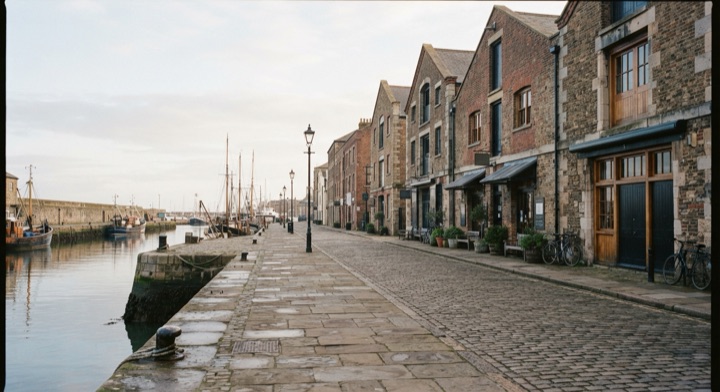
Dismissing a photo shrinks it back into the exact thumbnail it was opened from.
Related patterns
- Expandable Detail CardA compact card that expands in place into a detail view — image and title travel continuously.
- Tab Indicator SlideThe active-tab underline travels to the tab you picked instead of blinking out and back.
- Swipe Back PeelAn edge drag peels the top page away under your finger and snaps to whichever side the gesture was heading for.